MediaCP Backup Manager is a self-hosted panel that backs up your Linux servers over SSH — scheduled, monitored, and fully under your control.
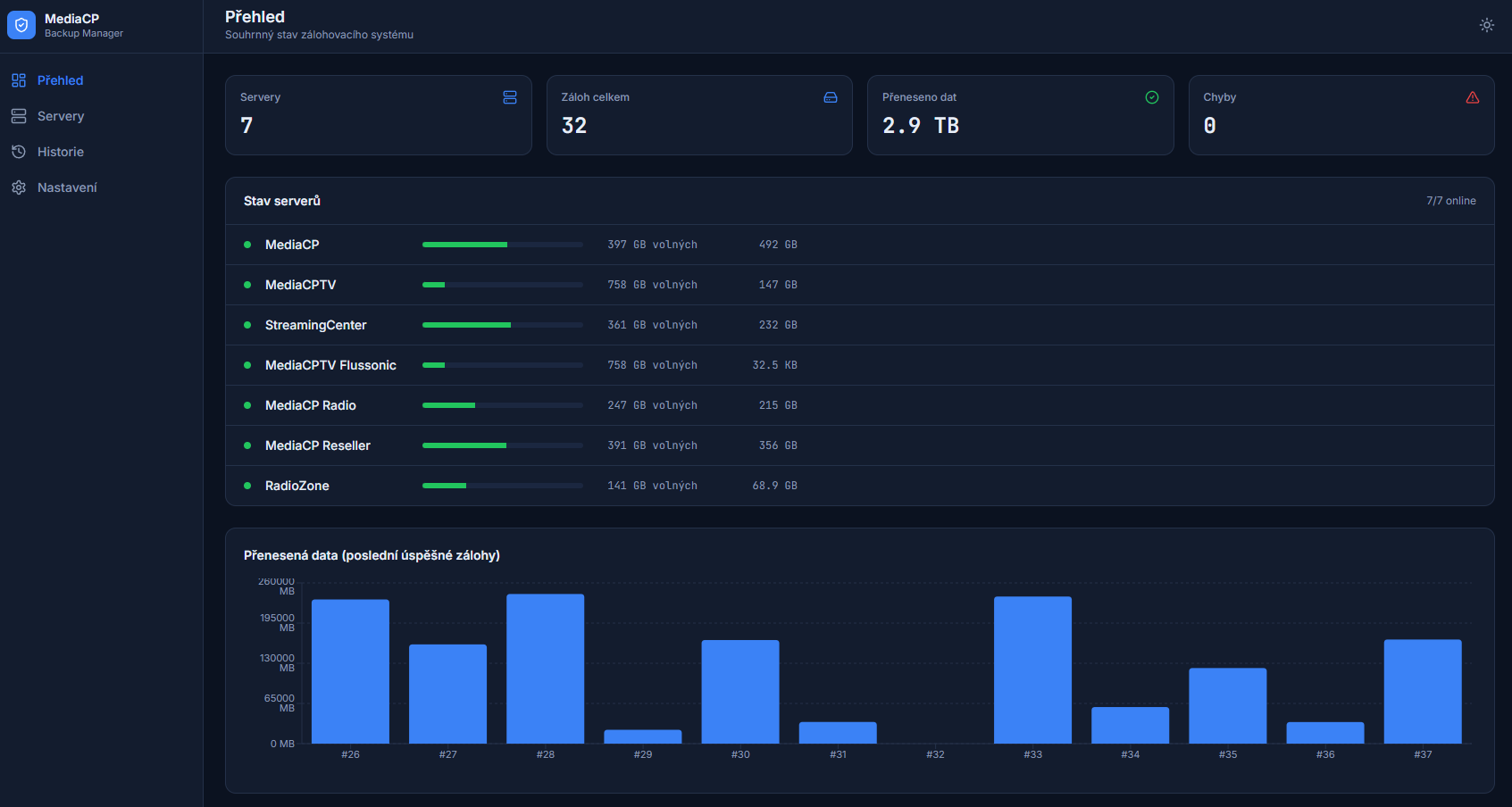
Stop worrying about lost data. MediaCP Backup Manager connects to your servers, pulls the folders you choose with rsync to central storage, and runs on the schedule you set. Everything is visible in one clean web interface — server status, free disk space, and backup results at a glance. It installs in minutes with Docker and runs entirely on your own server, so your data never leaves your infrastructure.
Pulls selected folders from your servers over SSH using rsync. Reliable, incremental, and efficient.
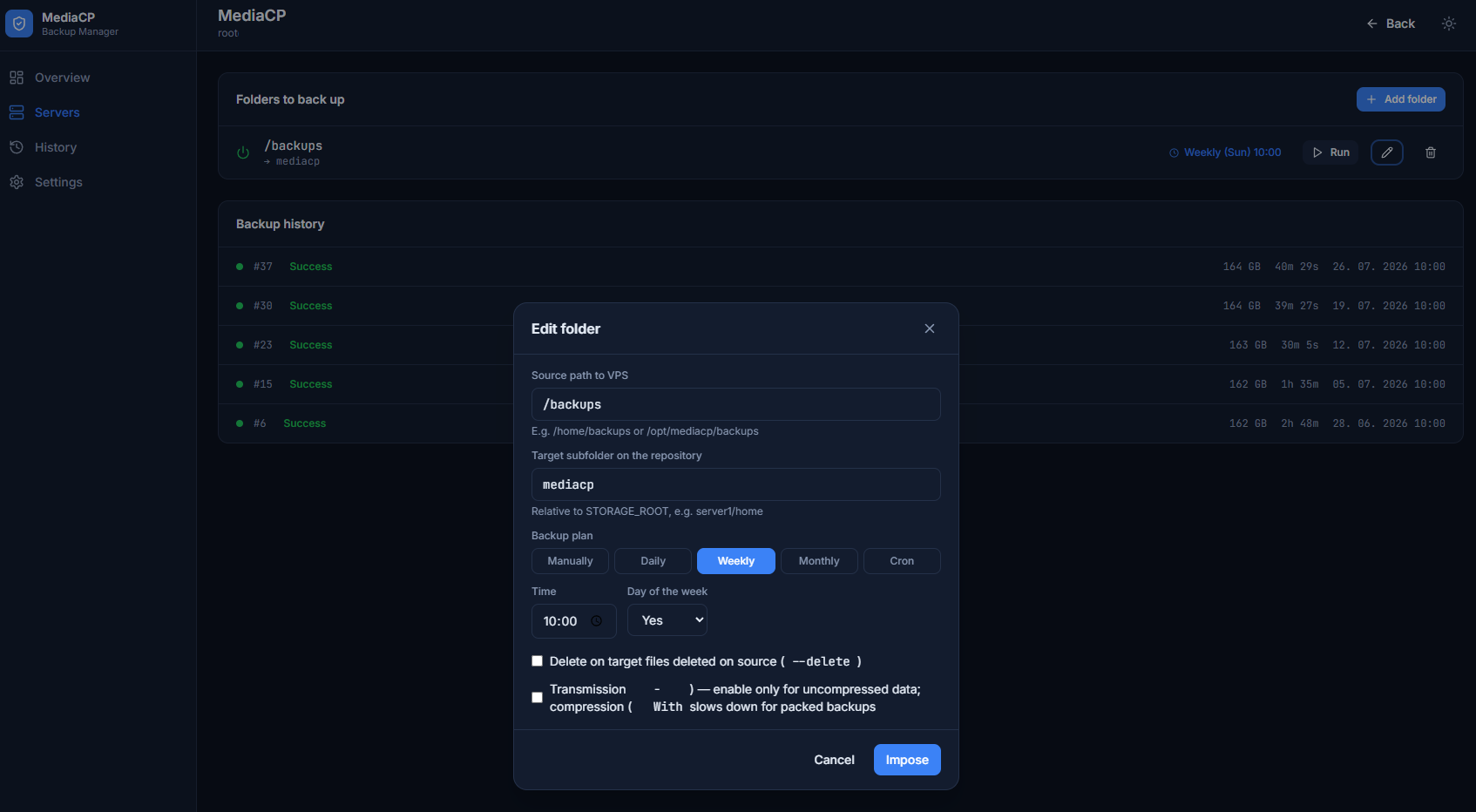
Daily, weekly, monthly, or a custom cron expression — per folder. Run backups exactly when it suits you.
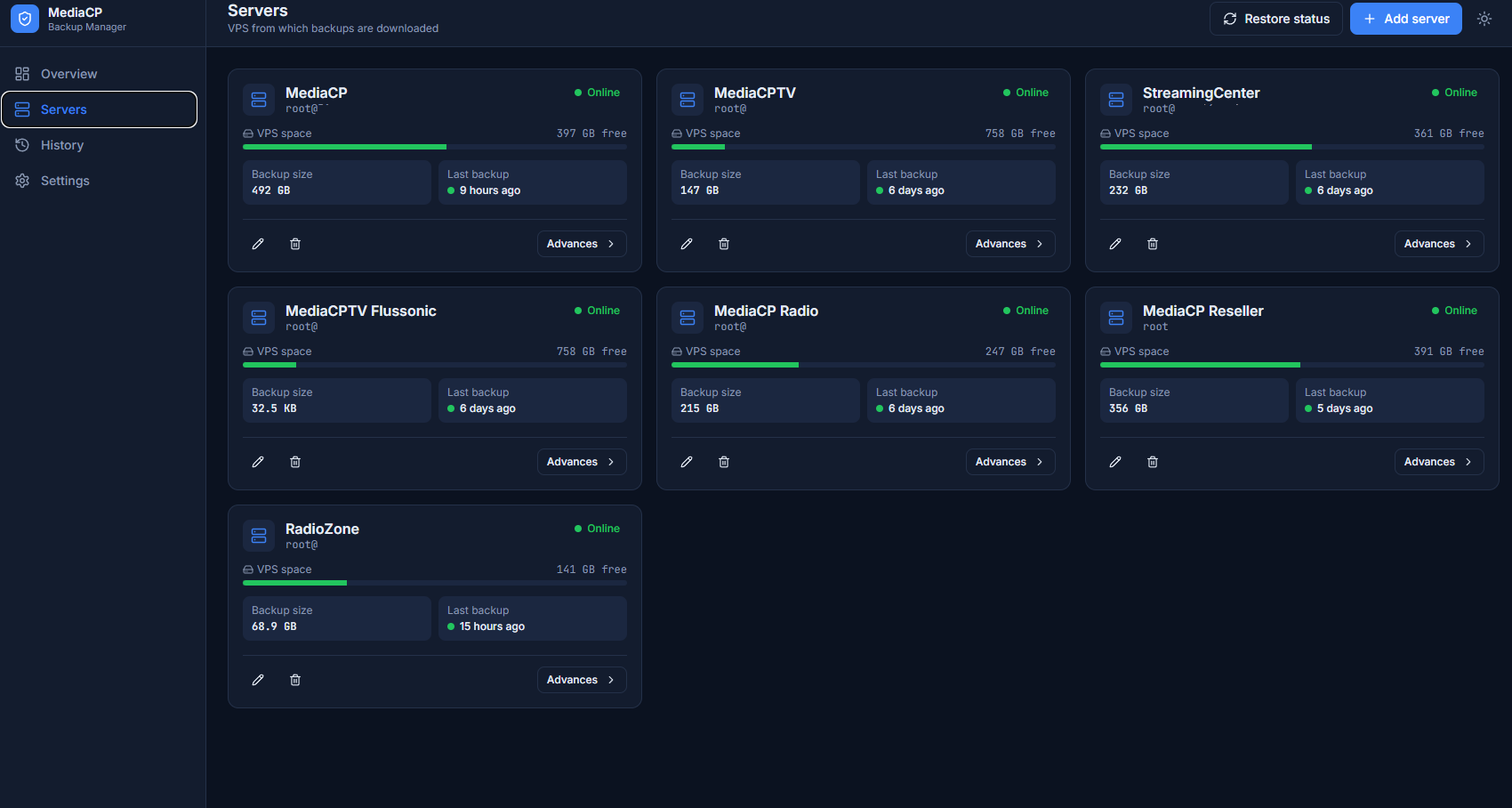
See each server's online status, free disk space, backup size, and when the last backup ran — all on the dashboard.
Get alerted by email, Discord, or Telegram on success, failure, or low disk space. Never miss a failed backup again.
Two-factor authentication (2FA), encrypted server credentials (AES-256), and sign-in protection.
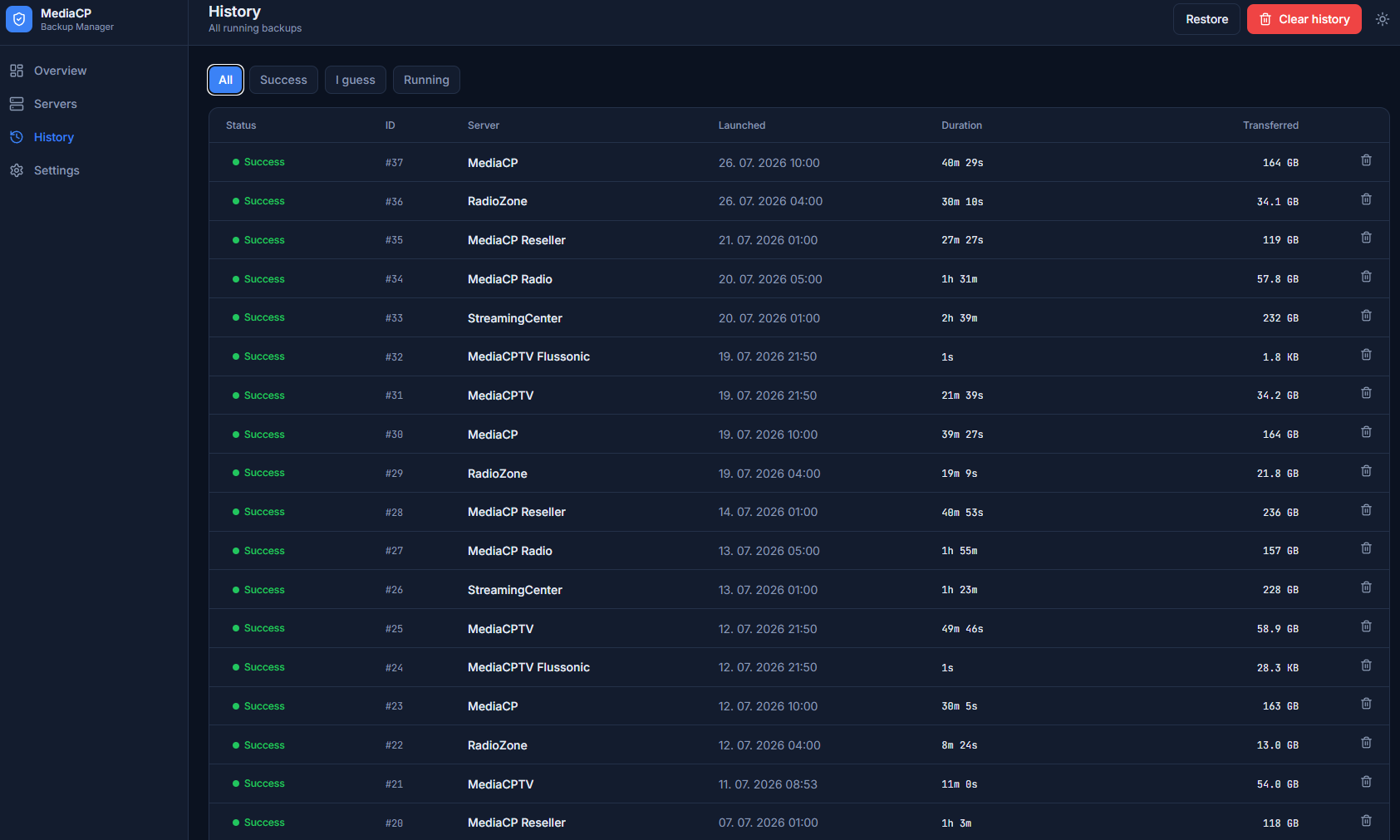
Full history of every backup run with logs. Automatic cleanup keeps things tidy.
Fully self-hosted. Runs on your own server via Docker. No third-party cloud, no data leaving your infrastructure.
A fast, responsive panel with light and dark modes. Everything where you expect it.
Install in minutes with Docker using a guided installer — just enter your license key and choose an admin login.
Deploy the panel on your Linux server in minutes with Docker. A guided installer handles the setup.
Connect the servers you want to back up and choose which folders to protect.
Set a schedule and let it run. Watch the status on your dashboard and get notified if anything needs attention.
On your own server. The panel is fully self-hosted — nothing is sent to any third-party cloud.
A Linux server (Debian 12 or Ubuntu 22.04/24.04 recommended) with root access. Docker is installed automatically by the installer.
The panel connects to your servers over SSH and pulls the folders you select using rsync to central storage.
Yes — daily, weekly, monthly, or with a custom cron expression, per folder.
Yes. Server passwords are encrypted (AES-256), the panel supports two-factor authentication, and sign-in is rate-limited against brute force.
Yes. A guided installer sets everything up — you just enter your license key and choose an admin login.
Get MediaCP Backup Manager and put your backups on autopilot — on your own infrastructure.
Get started